
TECHNOLOGY
How Text-to-Speech Technology is Revolutionizing Business Presentations


Business presentations are the backbone of corporate communication, used for pitching ideas, employee training, or reporting. Traditionally, presentations have relied on a presenter to deliver them, but with the introduction of artificial intelligence, Text-to-Speech (TTS) technology is transforming the manner in which companies create and deliver PowerPoint presentations. With the addition of AI-powered voiceovers, companies can boost engagement, improve accessibility, and streamline their presentation workflows.
Continue reading to know how you can harness text to speech for PowerPoint and take your business presentations to the next level.
The Role of PowerPoint in Business Communication
PowerPoint is still the most popular tool for business presentations. It enables professionals to organize their thoughts visually and present them effectively. Yet, most presentations are marred by dull delivery, disengagement, or inaccessibility. That is where TTS technology steps on, providing an interactive means of taking presentations beyond mere static slides.
How Text-to-Speech is Revolutionizing Business Presentations
Boosting Engagement with AI Voices
One of the biggest challenges of a business presentation is how to keep the audience’s attention. With text-to-speech, speakers are able to use natural-sounding AI voices that are clear, consistent, and professional. Instead of reading off slides or struggling to get the words out, speakers can use AI narration to maintain the smooth and engaging pace. This is especially helpful for webinars and virtual presentations where audience engagement is critical.
Enhancing Accessibility and Inclusivity
Accessibility is a growing concern in corporate environments. Text-to-speech for PowerPoint ensures that presentations can be experienced by individuals with visual impairments or reading difficulties. By integrating spoken narration, businesses make their presentations more inclusive, complying with accessibility guidelines and improving overall reach.
Multilingual Capabilities for Global Businesses
In the current global market, companies often have to communicate with global teams and customers. Text-to-speech technology is multi-language compatible, enabling companies to produce multilingual presentations easily. This reduces the requirement for human translators or separate recordings, and presentations become more scalable and versatile.
Time and Cost Efficiency
Recording voiceovers for presentations has long involved the use of voice actors, equipment setup, and time spent on editing. With AI-based TTS software, companies can create high-quality voiceovers in an instant, and it is simpler to revise or update presentations without extra expense. This efficiency is particularly useful for training materials, product demos, and corporate updates that need frequent revisions.
Moreover, the TTS technology enables you to dub the same presentation in multiple languages within minutes to be shared with your teams worldwide. You don’t need to log in additional studio time or even hire voice actors fluent in different languages.
Consistency in Delivery
Human presenters might be irregular with tone, pronunciations, and speed, which might effect the effectiveness of a presentation. TTS renders a standardized tone and voice in all presentations and has a businesslike and suave delivery irrespective of who does the presentation. This is really useful for bigger companies requiring uniform training or corporation communications.
Using Text-to-Speech in PowerPoint Presentations: Step-by-step Guide
- Implementing TTS technology into PowerPoint is quite simple. This is how companies can achieve that:
- Select a TTS Tool – Websites like Murf.ai, ElevenLabs, and GetPeetch have AI voice generation tools that can be integrated into a presentation. Compare the tools and see which suits your business needs the best.
- Create Voice Narration – Copy the text from the presentation into the TTS tool, choose a favorite AI voice, and create the audio.
- Insert Audio into PowerPoint – Go to PowerPoint’s ‘Insert’ tab, choose ‘Audio,’ and upload the voiceover file created.
- Adjust Playback Settings – Play the audio automatically or on click to keep it in sync with the slides.
- Test and Finalize – Rehearse the presentation for smooth transitions and easy-to-hear voiceovers.
Real-World Applications of TTS in Business Presentations
Numerous companies have already incorporated TTS for PowerPoint to improve their presentations. Some examples are:
- Corporate Training – Businesses utilize AI voiceovers to design interactive training modules for staff.
- Marketing and Sales Pitches – Salesmen use TTS to present products with a professional voiceover to ensure intriguing pitches.
- Webinars and E-Learning – AI narration enhances the value of webinars and e-learning, guaranteeing clarity and interest.
The Future of TTS in Business Presentations
As the technology advances with AI, the text-to-speech technology will be more developed with capabilities such as:
- Emotional AI Voices – Future AI voices will be capable of expressing emotions, and presentations will feel more natural and human-like.
- Real-Time Voice Generation – Presentations powered by AI can create speech in real time from audience interactions.
- Deeper Integration with Presentation Tools – Future releases of PowerPoint could be packaged with integrated TTS functions, further streamlining the process.
Conclusion
Text-to-speech technology is reshaping business presentations with increased participation, accessibility, and productivity. Through the incorporation of AI-generated voiceovers in PowerPoint, companies can produce professional, multilingual, and uniform presentations with less effort. With advancements in AI technology, the role of TTS in business communication will keep increasing, and presentations will become more dynamic, inclusive, and effective.


Why Small Wheels Deserve Careful Attention
Casters influence how safely and easily carts, racks, worktables, bins, medical equipment, and mobile storage units move through a facility. A well-matched set of 4 inch caster wheels may suit a compact cart on a smooth indoor floor, while a heavily loaded production cart crossing rough concrete may need a larger, more durable wheel assembly.
Poor caster selection can make a cart hard to steer, noisy, unstable, or difficult to stop. It can also contribute to floor damage, excessive vibration, and avoidable strain for employees who move materials throughout the day. The goal is not simply to find a wheel that fits the frame. It is to match the complete caster assembly to its real operating conditions.
Step 1: Calculate the Real Working Load
Start with the full weight of the equipment. Include the frame, shelves, tools, batteries, attachments, containers, and the heaviest load the unit is expected to carry. Avoid sizing casters around an average load if the equipment occasionally handles much more.
A useful starting calculation is:
Total equipment weight plus maximum contents, divided by the number of casters, equals the minimum starting capacity per caster.
That result should not be treated as the final answer. Weight is not always distributed evenly, especially when a cart crosses a threshold, turns sharply, travels over a rough surface, or has a flexible frame. Choose a caster capacity with an appropriate margin for real-world impacts and temporary uneven loading.
Step 2: Study the Entire Travel Surface
Walk the route before choosing wheels. Look beyond the primary floor material and note cracks, expansion joints, door thresholds, ramps, drains, grating, debris, and transitions between indoor and outdoor areas. Larger-diameter wheels generally roll over small obstacles more easily than smaller wheels, but they also increase the overall height of the equipment.
Match the Wheel to the Route
- Finished indoor floors: Favor quiet, non-marking wheels that help protect tile, sealed concrete, wood, or epoxy surfaces.
- Rough concrete: Consider larger wheels and treads that can tolerate repeated contact with uneven surfaces.
- Outdoor travel: Plan for water, dirt, temperature changes, gravel, and irregular ground.
- Guided movement: Review grooved or flanged designs when equipment must follow a rail or track.
Step 3: Compare Common Wheel Materials
Wheel material is a performance decision, not just a price decision. Polyurethane is often selected where floor protection, abrasion resistance, and quieter travel are important. Rubber wheels can provide traction and shock absorption for lighter-duty or vibration-sensitive applications. Phenolic wheels are commonly considered for high-load applications where a hard wheel is acceptable.
Steel and cast-iron wheels can offer high capacity and durability, but they may be noisy and unsuitable for delicate flooring. Pneumatic and no-flat wheels are useful for rougher terrain because their construction can reduce vibration. Pneumatic tires require air-pressure maintenance, while no-flat designs avoid punctures but may not provide the same cushioning.
Step 4: Select the Right Caster Style
Swivel casters allow equipment to turn and maneuver in tighter areas. Rigid casters hold a fixed direction and support straight-line travel. Many carts use a combination of both, such as two rigid casters paired with two swivels, to balance tracking and steering.
- Plate-mounted casters: Attach to a flat surface using a bolt pattern.
- Stem-mounted casters: Fit compatible sockets, tubes, or threaded openings.
- Spring-loaded casters: Can help maintain wheel contact and absorb shock on uneven routes.
- Leveling casters: Let the equipment roll into place and then stand more firmly during use.
- Low-profile casters: Help preserve clearance where equipment height is limited.
Step 5: Choose Brakes and Locks for Control
A wheel brake prevents wheel rotation. A swivel or directional lock limits turning movement. A total lock is designed to stop both wheel rotation and swivel action. The right choice depends on whether the equipment needs to stay parked, travel in a straight path, or remain stable during loading and operation.
Brake pedals should be accessible without creating a trip hazard or forcing workers into an awkward position. OSHA guidance on pushing material-handling equipment emphasizes reducing unnecessary force and using equipment that supports safer movement.
Step 6: Consider Ergonomics Before Installation
Wheel diameter, tread type, bearing condition, alignment, and floor quality all affect the effort required to move a load. Review the whole system, including handle height, visibility over the load, route length, turning space, and stopping requirements. When the route and equipment design allow it, pushing is generally easier to control than pulling.
For example, a supply cart may become difficult to steer when one swivel section binds or collects debris. The cart can still appear serviceable, yet workers may compensate by twisting, pulling harder, or taking wider turns. Ergonomic risk factors can include forceful exertion, repetition, awkward postures, and vibration, which makes smooth-moving equipment an important part of a safer workflow.
Step 7: Check Environmental Conditions
Consider moisture, washdown, chemicals, grease, dust, outdoor exposure, heat, and cold before finalizing a caster. Wet or chemical-heavy areas may require corrosion-resistant components. High-temperature processes may require wheels rated for the expected operating range. Hospitals, food service spaces, offices, and retail environments may benefit from non-marking materials that help protect finished floors.
Always confirm that the wheel material, bearings, finish, and lubrication approach are compatible with the facility’s cleaning agents and operating conditions.
Step 8: Build a Simple Inspection Routine
- Check for flat spots, cracks, tread separation, and uneven wear.
- Look for loose bolts, bent forks, damaged plates, wobbly wheels, and missing hardware.
- Spin each wheel and listen for grinding, scraping, or clicking.
- Test wheel brakes, directional locks, and total locks in a safe area.
- Remove tape, plastic wrap, wire, hair, and other debris from axles and swivel sections.
- Follow manufacturer instructions for lubrication and replacement.
Final Selection Checklist
- Confirm the maximum loaded weight and required capacity per caster.
- Measure mounting plates, bolt spacing, stems, wheel width, and overall height.
- Match the tread and wheel diameter to the floor, obstacles, and route.
- Choose the needed level of swivel movement, straight tracking, braking, or leveling.
- Plan inspections so that worn or damaged casters are replaced before handling becomes difficult.
Conclusion
The best caster choice reflects the complete job: load, route, floor, environment, mounting method, braking needs, and maintenance plan. Reviewing those details before installation can improve control, reduce pushing effort, protect flooring, and help mobile equipment remain dependable throughout daily material-handling work.

The best Magic Hour AI image editor in 2025 combines fast editing, automation, and advanced tools like Magic Hour face swap and Magic Hour lip sync all in one seamless workflow.
As of June 2025, AI image editing has moved far beyond simple filters. Today, users expect tools that can automatically remove backgrounds, enhance resolution, generate visuals, and even swap faces in a video.
The real challenge is choosing a platform that balances speed, quality, and creative control. This guide breaks down the most effective tools available, focusing on real-world performance and practical use cases.
Best Face Swap Online Tools in a Quick Glance
| Tool | Best For | Modalities | Platforms | Free Plan | Key Strength |
| Magic Hour AI Image Editor | All-in-one editing + face swap | Image, Video | Web | Yes | Fast workflows + creative tools |
| Adobe Firefly | Professional design workflows | Image, | Web, Adobe apps | Yes | Industry-grade integration |
| Canva AI | Social media and marketing visuals | Image, Graphics | Web+ Mobile | Yes | Ease of use |
| Runway ML | Advanced creative editing | Image+ video | Web | Limited | Experimental features |
| Fotor AI | Quick edits & enhancements | Image | Web+ Mobile | Yes | Beginner-friendly |
Magic Hour AI Image Editor
One reason Magic Hour leads this list is its ability to combine speed, simplicity, and powerful tools into one clean interface. It stands out as a top Magic Hour AI image editor for both beginners and creators.
It goes beyond basic editing. You can generate images, enhance quality, remove objects, perform Magic Hour face swap, and even swap faces in a video all in one workflow. It also supports Magic Hour lip sync, allowing you to animate faces realistically in video content.
Pros:
- Fast processing with minimal delay
- Built-in Magic Hour face swap with natural output
- Supports image and video editing
- Includes Magic Hour lip sync for animated content
- Easy-to-use interface
- Strong automation for repetitive tasks
Cons:
- Advanced controls are limited compared to Pro Tools
- Requires an internet connection
- Some features are locked behind paid plans
Evaluation
I tested Magic Hour across portrait editing, content creation, and video workflows. What stood out most was how quickly it handled complex edits. The Magic Hour face swap feature is highly reliable, and the ability to swap faces in a video with consistent quality makes it even more valuable.
If you want an all-in-one tool that saves time while delivering strong results, this is hard to beat.
Pricing:
- Free plan available
- Premium plans with extended credits and features
Adobe Firefly
Adobe Firefly is built for creators already working within the Adobe ecosystem. It integrates smoothly with tools like Photoshop.
Pros:
- High-quality image generation
- Seamless Adobe integration
- Strong text-to-image capabilities
- Reliable for commercial use
Cons:
- Learning curve for beginners
- Requires an Adobe subscription
- Slower workflow compared to lightweight tools
Evaluation
Firefly works best in professional environments where precision matters. However, it feels heavier compared to faster tools like Magic Hour.
Pricing:
- Free credits available
- Included in Adobe Creative Cloud plans
Canva AI
Canva AI focuses on speed and simplicity, making it ideal for marketers and small businesses.
Pros:
- Very easy to use
- Drag-and-drop interface
- Great for social media visuals
- Large template library
Cons:
- Limited advanced editing features
- Less control over fine details
- Outputs can feel generic
Evaluation
Canva is perfect for quick, polished visuals. However, it lacks advanced features like Magic Hour face swap or the ability to swap faces effectively in a video.
Pricing:
- Free plan available
- Pro plan with additional features
Runway ML
Runway ML is designed for creators who want to experiment with advanced AI tools.
Pros:
- Advanced AI capabilities
- Supports image and video editing
- Constantly evolving features
- Ideal for creative projects
Cons:
- Interface can feel complex
- Not beginner-friendly
- Performance varies
Evaluation
Runway ML offers powerful tools for creative experimentation. It’s less predictable but strong for pushing creative limits.
Pricing:
- Limited free plan
- Paid tiers for full access
Fotor AI
Fotor AI focuses on simplicity and quick edits.
Pros:
- Beginner-friendly interface
- One-click enhancements
- Affordable pricing
- Mobile support
Cons:
- Limited advanced features
- Basic AI capabilities
- Not suitable for complex edits
Evaluation
Fotor is reliable for basic editing tasks. It’s a good option for users who want fast results without complexity.
Pricing:
- Free plan available
- Low-cost premium plans
How I Chose These Tools
I tested each platform based on real-world usage scenarios:
- Portrait editing
- Background removal
- Image enhancement
- Creative generation
- Face swap performance
- Ability to swap faces in a video
- Lip sync accuracy using tools like Magic Hour lip sync
Key criteria:
- Output Quality: Realism and clarity
- Speed: Time required to complete edits
- Ease of Use: How quickly users can get results
I also evaluated automation features, since speed plays a major role in modern workflows.
Magic Hour consistently delivered the best balance between speed, quality, and ease of use.
Market Landscape & Trends
AI image editing continues to evolve quickly.
Key trends in 2025:
- All-in-One Platforms Are Leading
Users prefer tools that combine editing, generation, and animation. Magic Hour reflects this shift. - Face Swap Is Now Standard
Features like Magic Hour face swap and the ability to swap faces in a video are becoming essential. - Lip Sync and Animation Are Growing
Tools that offer Magic Hour lip sync are gaining traction in video content creation. - Speed Is Critical
Fast processing is now expected, not optional. - Image + Video Integration
More platforms are blending image editing with video workflows. - Automation Is Driving Adoption
One-click edits reduce the barrier for new users.
According to industry insights from Adobe and Gartner, AI-driven creative tools are seeing rapid adoption across industries.
Final Takeaway
The best Magic Hour AI image editor combines speed, simplicity, and creative flexibility on a single platform.
Quick breakdown:
- Best overall: Magic Hour AI Image Editor
- Best for professionals: Adobe Firefly
- Best for beginners: Canva AI
- Best for experimentation: Runway ML
- Best for quick edits: Fotor AI
If features like Magic Hour face swap, Magic Hour lip sync, and the ability to swap faces in a video are important to you, Magic Hour is the clear choice.
The smartest approach is simple: test a few tools and build a workflow that saves you time.
FAQ’s
Does Magic Hour support face swapping?
Yes, Magic Hour face swap is one of its strongest features, delivering realistic and fast results.
Can I swap faces in a video using AI tools?
Yes, tools like Magic Hour allow you to swap faces in a video with consistent quality and smooth transitions.
What is Magic Hour lip sync?
It’s a feature that syncs facial movements with audio, making animated videos look realistic.
Are AI image editors free?
Most tools offer free plans with limited credits. Paid plans unlock more features.
Which tool is best for beginners?
Canva AI and Fotor AI are the easiest to start with.
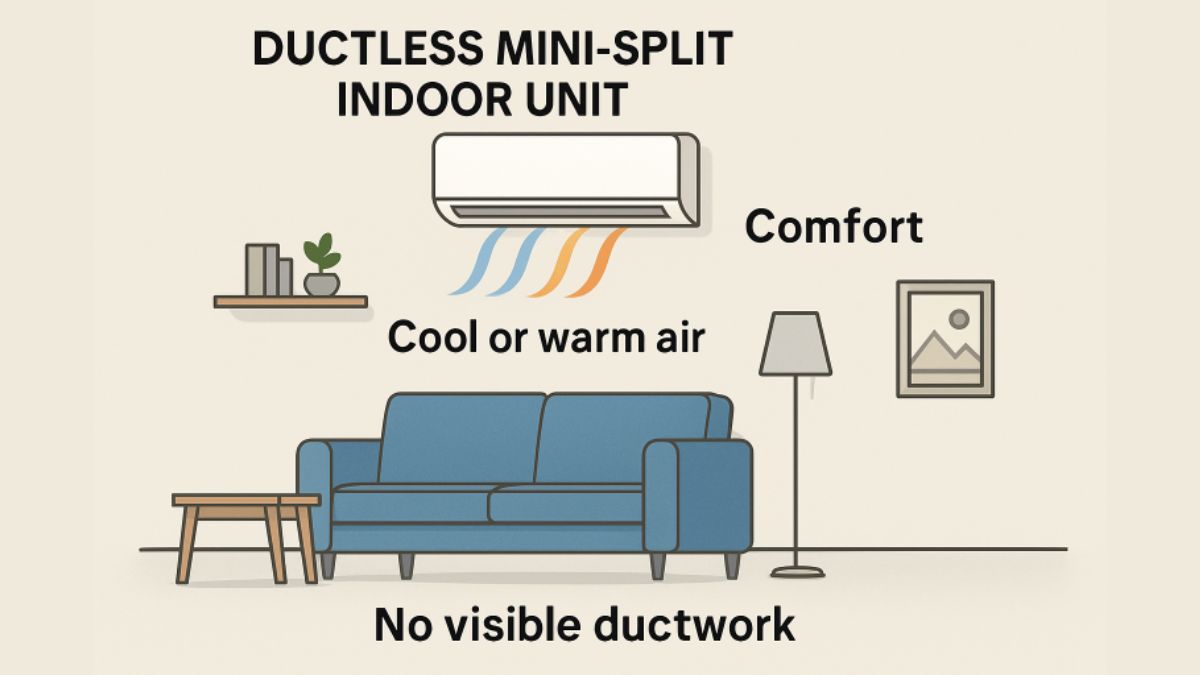
Homeowners are increasingly exploring innovative solutions for residential climate control, and ductless mini split systems have quickly emerged as a preferred choice. They are celebrated for their streamlined design, efficiency, and ability to deliver targeted comfort in any room. For residents seeking improved climate control, particularly in areas with older homes or new additions, ductless air conditioners Staten Island are an excellent option. The combination of energy savings, modern convenience, and flexible installation has made these systems a popular upgrade for those seeking a more comfortable living environment.
Ductless mini splits bypass the inefficiencies and limitations of traditional HVAC with ease. By removing the need for bulky ductwork, these systems provide a practical solution for many modern living spaces, including apartments, finished basements, and converted garages. The adoption of ductless systems has gained momentum as homeowners discover their potential to lower utility bills, improve air quality, and offer individualized comfort.
Energy Efficiency and Cost Savings
Ductless mini split systems are engineered to maximize energy efficiency. Unlike conventional HVAC units, which often lose up to 30 percent of their energy output through ductwork leaks and inefficiencies, ductless systems deliver conditioned air directly to specific zones. This technology, particularly when equipped with inverter-driven compressors, can operate at variable speeds to precisely match the cooling or heating load required. The result is reduced energy waste and consistent savings on monthly utility bills. According to the U.S. Department of Energy, ductless mini-splits can save homeowners substantial costs over time, making them an eco-friendly and economically smart choice.
Easy Installation and Flexibility
The ease of installation is a major advantage of ductless mini-split systems. They require only a small hole in the wall to run the necessary conduit between the indoor and outdoor units. This means homeowners do not have to worry about invasive construction or the expense of installing new ductwork, which can be especially costly in homes that were not originally designed for central air. This flexibility makes ductless systems ideal for historic homes, home additions, and spaces where traditional HVAC systems are impractical. With minimal disruption and fast setup, many installations can be completed in less than a day.
Enhanced Indoor Air Quality
Indoor air quality is a significant concern for many households, particularly those with allergies or respiratory conditions. Traditional ducted systems can harbor dust, allergens, and mold, which are circulated throughout the house. Ductless mini split systems, however, often feature multi-stage filtration that helps reduce the presence of particulate matter, bacteria, and unpleasant odors inside the home. Without ducts that accumulate dust over time, these systems provide a cleaner, healthier indoor environment. Health-conscious homeowners find this a valuable feature, especially as awareness of indoor air quality continues to grow.
Quiet Operation
Comfort is not just about temperature but also about maintaining a peaceful environment. One of the most appealing features of ductless mini-splits is their quiet operation. Unlike the noisy fans and blowers found in many central air systems, mini splits utilize advanced technology to minimize operational noise. The indoor units are designed to operate at a sound level often lower than a whisper, making them ideal for bedrooms, nurseries, home offices, and living rooms. This allows family members to enjoy their activities or sleep without the disruptive hum of a conventional air system.
Smart Technology Integration
Modern ductless mini split systems offer features that align with the demands of today’s connected homes. Many units now integrate with home automation platforms, allowing users to control their systems remotely via smartphone apps or voice commands. This smart technology not only offers convenience but also helps homeowners monitor and manage their energy consumption more effectively. Real-time adjustments and scheduling features further support energy savings, enabling users to set their desired comfort levels when and where needed.
Zoning Capabilities
Zoning is a standout feature that distinguishes ductless mini split systems from traditional HVAC units. Each indoor air handler can be set to a different temperature, allowing personalized comfort for different rooms or users. This approach not only enhances individual comfort preferences but also drives further energy savings. Instead of heating or cooling empty spaces, homeowners can direct climate control only to occupied rooms. Families with varying needs—be it a cooler bedroom or a warmer living room—can each benefit from this focused climate control and ultimately reduce overall energy consumption.
Environmental Impact
Concern for the environment is another compelling reason to adopt ductless mini split systems. These systems reduce energy use and carbon emissions by operating more efficiently and enabling tailored climate control. Many models use modern refrigerants that have a lower impact on global warming compared to older options. Choosing ductless systems can help households shrink their environmental footprint by contributing to sustainability initiatives. Broad adoption of these technologies aligns with global climate action goals and encourages responsible resource use. More details can be found at EPA Greening EPA.
Conclusion
Ductless mini split systems are truly changing the way homeowners approach residential comfort. Their advantages—from simple installation and energy efficiency to enhanced air quality, quiet operation, and smart technology integration—make them a compelling upgrade for many homes. With the added benefits of zoning and environmental responsibility, ductless mini-splits are poised to remain a leading solution for those seeking a modern, efficient, and healthy living environment.
-

 FASHION2 years ago
Elegant Winter Party Style: Trendy Long-Sleeve Dresses and Essential Hair Care Tips
-

 HOME2 years ago
Weather Related Event Closings Explained
-

 FASHION2 years ago
Top Kids Clothing Trends for 2025 – What’s In Style This Year?
-

 HOME2 years ago
Exploring the World of TG Tube: A Comprehensive Guide
-

 TRAVEL2 years ago
Travel Tips for Visiting Korpenpelloz: What You Need to Know
-

 EDUCATION2 years ago
Can You Wear a Different Coloured Contact Lens in Each Eye? The Science Behind Mismatched Vision
-

 NEWS2 years ago
Brad Dummer Obituary Pecatonica IL : Honoring a Beloved Community Member in Pecatonica IL
-

 AUTOMOTIVE2 years ago
Mitsubishi Pajero 3.0 V6 – Specs, Performance & Guide